Monday, November 29, 2010

Setting up your template so the backgrounds work...

click on DESIGN
if you are unfortunate enough to have set  your blog up with a new template...
this is the best way I have found to do it...
BUT if you have not picked a new template, and are still using the old minima one...
DO NOT DO THIS!
because once you pick the new templates...
there is no going back...
now wait for this to load...
you should be able to see your blog as it is...
and all the changes you are going to do in the next steps...
for the rest of us...
here we go...
this template is the easiest to redo...
or eliminate...
these photos will show you what to do with each thing going down the list...
you can choose whichever one you want here...
I just like mine set up this way...
this is for the bottom of your blog...
again- your choice here...
look at the numbers...
and line your blog columns up with this...
now in the advanced...
I make all my text black...
then it goes with almost any background and I don't have to go back in here and change it all the time...
so pick a neutral color here...
see the little arrow next to the color?...
this will pop up a color board...
for more colors than what they show...
but at the bottom on the right...
it says transparent...
make sure everything I have marked transparent, that you do it to...
this will make the template go away...
so just go through the list and pick your colors...
here, do nothing...
I have used this for different things only to come  back in and delete it...
just doesn't work well for me...
now, very important...
click the orange APPLY TO BLOG  in the upper right hand corner...
and wait for it to show a little yellow thing at the top center that says APPLIED TO BLOG...
then click here and see what it looks like...
now you can use the post below to add a background...
and there is another post to begin with on finding a cool background...
my biggest advice on this is just to get in there and play around...
that's what I did...
and like I said before...
use a dummy blog...
and if you still have problems...
email me...


Sunday, November 28, 2010

Where to find backgrounds...


How to add a background...

1st thing you may want to do is to start a dummy blog...
to practice on...
takes 30 seconds to get one...
click on DESIGN...
you will get this page...
scroll down to the bottom...
I like to put my background gadgets on the bottom...
out of the way...
click on GADGET...
this little page will pop up...
scroll down till  you see HTML...
click on that one...
this little page will pop up...
now open a second window and go find a background...
this one is cute pink snowflakes and it's at The Background Fairy...
when  you find the background you want...
scroll down till you see the code...
or click on code in some places...
copy that...
hop back here in your other window...
paste code here...
make sure you click the orange box marked SAVE...
click on view blog...
ta da!
easy as pie!
if you have problems...
leave me a comment and let me know what happened and we will work it out!

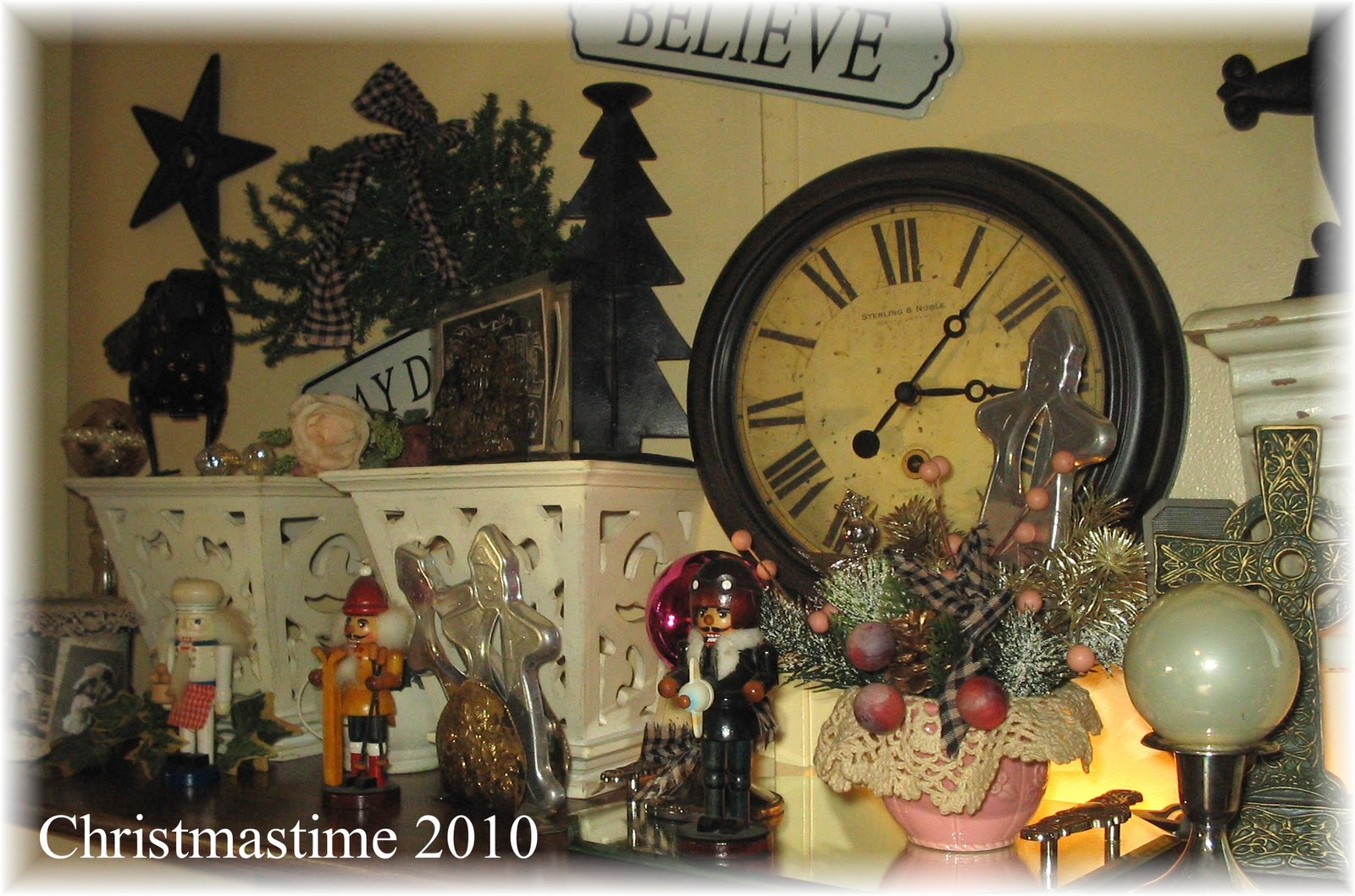
the upper shelf of the computer desk...

cookie cutters from ebay last winter...
marked down...
new silver candlesticks from free cycle box...
doily turned flower frog to hold picks and things...
chicken eating glass acorns...
tarnished silver napkin holder with big letter name vintage postcards...
the first one says Daddie...
a candle greenery piece that the hole is too small for a candle stick to fit through...
???
my snowman candle guy that Rebecca found for me...
and 2 of many of these little nutcrackers that she gave me for Christmas a few years back!...
another napkin holder with cookie cutters...
glass balls in short silver candle sticks look like gazing balls...
Christmas picks that I got in an arrangement 16 years ago...
I recycle everything, you know...
another cookie cutter...
a country bow in black and tan...
and a silver and crystal angel...
and there you go...

it was quite a night here last night...
my oldest showed up at 2am...
massive ear ache...
I went to bed at 1 but hadn't gotten to sleep yet...
he was bad...
did what mom's do and tucked  him in...
all in bed by 4:30am...
thinking he is going to the ER when we all get up again...
6:30 we are up and he is so much better!...
back to bed around 8:30am...
back up at noon...
clean, pack away clutter, more decorating, fix Craig's outside mess of  lights...
forgot to eat...
until 1pm...
breakfast was at 4:30am...
I can't do that...
bad me...
I can hardly move my arms...
the next couple of days are going to be bad...
Steve got one of my physical therapies done...
they are helping...
my own program...
but it's going to take time...
my goal is to be on my feet again by spring...
have a great day of rest before the madness begins again tomorrow...

What a night...

DH and Bebe taking a much needed break...
Moses kissing Craig...
brand new pink ornaments that DH found at the Dollar General...
5 bucks for glass...
not bad...
we have 1 aluminum trees...
one I bought out of a ladies van when I worked at the antique mall...
this one...
and we have my father in law's tree...
in the box...
Craig and Tia put the ornaments on the tree and I dug them out of the tubs...
Steve handed me all the hooks...
left overs...
playtime...
had to clean up all the needles...
yeah- fake trees drop them, too...
kitchen tree at night...
still some more to do...
I used to even put trees in my bathroom...
when I was younger and could still move...
I got to counting trees around here...
5 big ones...
6 little ones...
2 metal ones...
there may be more hidden away...
I have given at least 6 big ones away...
I used them all when I did shows and had booths everywhere...
and tubs of garland...
but most of it just wore out...
and we had to buy new 2 years ago...
well, gotta run...
I have to get something ready for the newspaper for Christmas Is A Child...
the last week!...
distribution is on the 3rd and 4th and then I'm done!